> For the complete documentation index, see [llms.txt](https://docs.elsaworkflows.io/llms.txt). Markdown versions of documentation pages are available by appending `.md` to page URLs; this page is available as [Markdown](https://docs.elsaworkflows.io/studio/workflow-editor/field-extensions.md).
# Field Extensions
## Overview
Field extensions allow you to add functionality to activity elements directly within the studio, rather than on the Elsa Server side. Extensions can be ordered and filtered to render for all components, specific `UIHintComponent` values, specific activity types, or specific syntaxes.
## Example
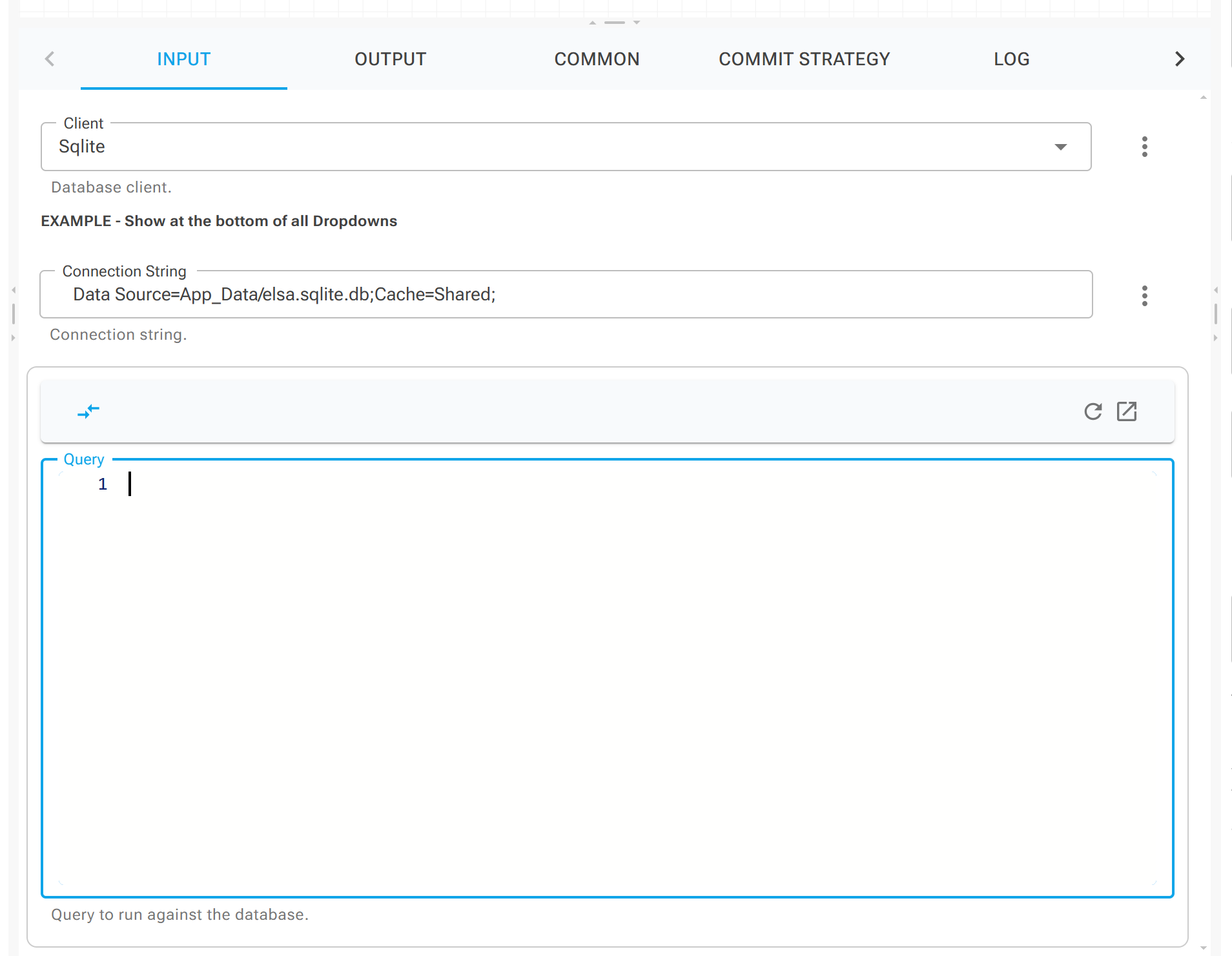
In this example, a simple field extension is applied to the **Client** property. It displays a message beneath all `InputUIHints.DropDown` fields, and an additional toolbar at the top of the query editor shown only when the syntax type is `"sql"`.
## Creating a field extension
To create a field extension you can implement the `IUIFieldExtensionHandler` interface:
```csharp
public interface IUIFieldExtensionHandler
{
// The order in which the extensions should be displayed.
int DisplayOrder { get; set; }
// If set to true and no restricting types are set, either with UIHintComponent, ActivityTypes or Syntaxes, this extension will be rendered for in all field types.
bool IncludeForAll { get; set; }
// The position to render the extension within the field.
FieldExtensionPosition Position { get; set; }
// The UIHint component this extension should be rendered for.
string UIHintComponent { get; set; }
// The activities this extension should be rendered for.
List ActivityTypes { get; set; }
// The syntaxes this extension should be rendered for.
List Syntaxes { get; set; }
// Returns true if the handler extension the specified or is empty.
bool GetExtensionForInputComponent(string componentName);
// Returns a of the added extension.
RenderFragment DisplayExtension(DisplayInputEditorContext context);
}
```
Then register the custom extension with DI.
```csharp
// Register the field enhancer with DI.
services.AddUIFieldEnhancerHandler();
```
All relevant elements will now have this extension automatically applied.